
Interview Context
Interview Context lets Dusky tailor its answers to you and the specific role you are interviewing for. Add your CV, the job description, and your target title, and Dusky grounds its behavioral and technical answers in your real experience instead of generic filler.
Open Interview Context
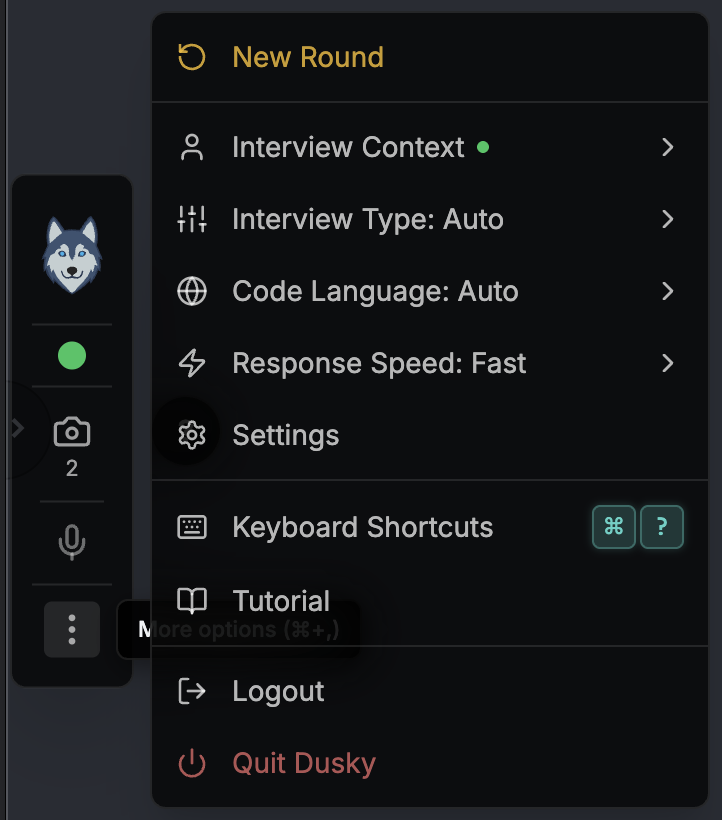
Section titled “Open Interview Context”Open the More options menu (the ⋯ button on the toolbar) and choose Interview Context. When a CV is on file, a green dot appears next to Interview Context in the menu.
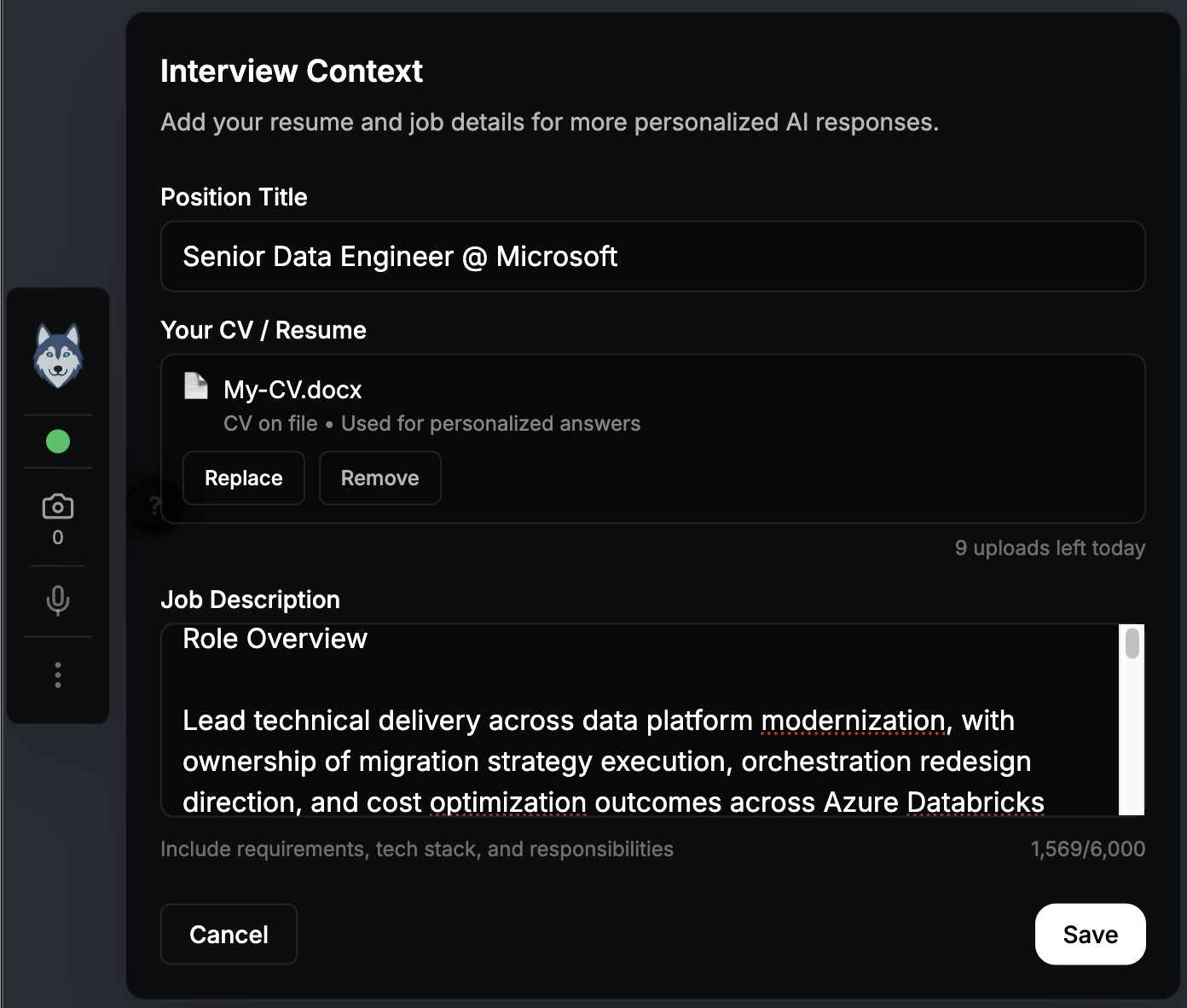
The panel has three fields.
| Field | What to enter | Limit |
|---|---|---|
| Position Title | The role you are interviewing for, e.g. “Senior Software Engineer” | 100 characters |
| Your CV / Resume | Upload your CV as a file (see below) | 3.5 MB per file |
| Job Description | Paste the job posting text | 6,000 characters |
Upload your CV
Section titled “Upload your CV”Click 📄 Upload CV and pick your file. Dusky extracts the text on its backend and keeps only the extracted content — it never displays or edits your CV in the app. Once a CV is on file, the panel shows the filename with CV on file • Used for personalized answers, plus Replace and Remove buttons.
Supported file types: PDF, Word (.docx), RTF, and plain text. Maximum 3.5 MB.
You can upload up to 10 CVs per day. The counter resets at midnight UTC. The panel shows how many uploads you have left.
Paste the job description
Section titled “Paste the job description”Paste the job posting into the Job Description field. A live counter shows how much of the 6,000-character limit you have used. For security, Dusky does not fetch job descriptions from a URL — paste the text directly.
How Dusky uses your context
Section titled “How Dusky uses your context”Your context is fed into Dusky’s answers based on the current Interview Type:
- Behavioral — uses your CV and job description in full, framing STAR answers around projects and roles you actually worked on.
- Technical — uses your context lightly to keep architecture and system-design answers relevant to the role.
- Auto — adapts to the question and your inputs.
- Coding — focuses on the algorithm; personal context is minimal.
Privacy
Section titled “Privacy”Interview Context is treated as sensitive data:
- Your CV and job description are never stored on Dusky’s servers — file text passes through the extraction service in transit only.
- Context is stored locally on your device, encrypted (AES-256-GCM with a key in your OS keychain).
- Everything is wiped when you sign out.
- No CV or job-description content appears in logs or diagnostics.
See the Data Handling page for full details.